Step 3. Running FFGlitch
- *Right click inside of the FFglitch folder and click “Git Bash Here”
- If Git Bash Here does not appear, try searching for Git in the OS and open Git Bash that way.
(mv_sink_and_rise.js is not required for this tutorial)
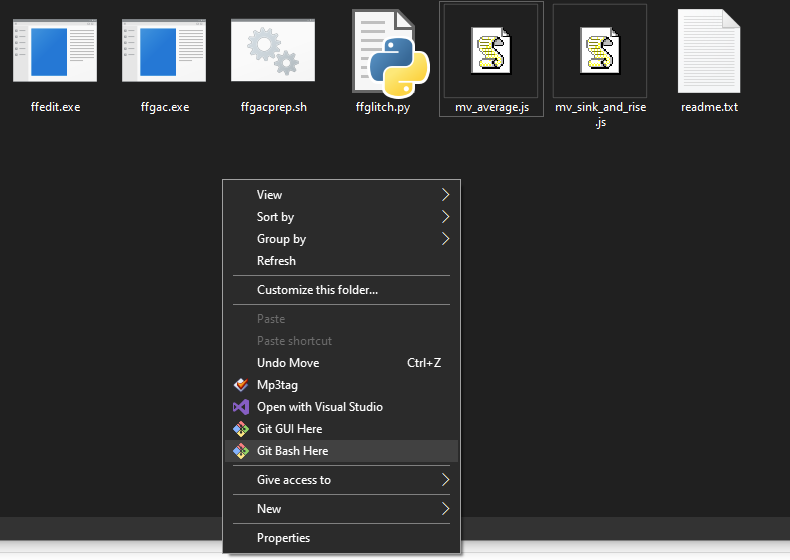
- Copy the following command snippet into the Git Bash terminal (on Windows, ctrl + shift + insert is how to paste a copied command)
- Note: replace “smash.mp4” with the name of your file in the FFglitch folder with .mp4 included.
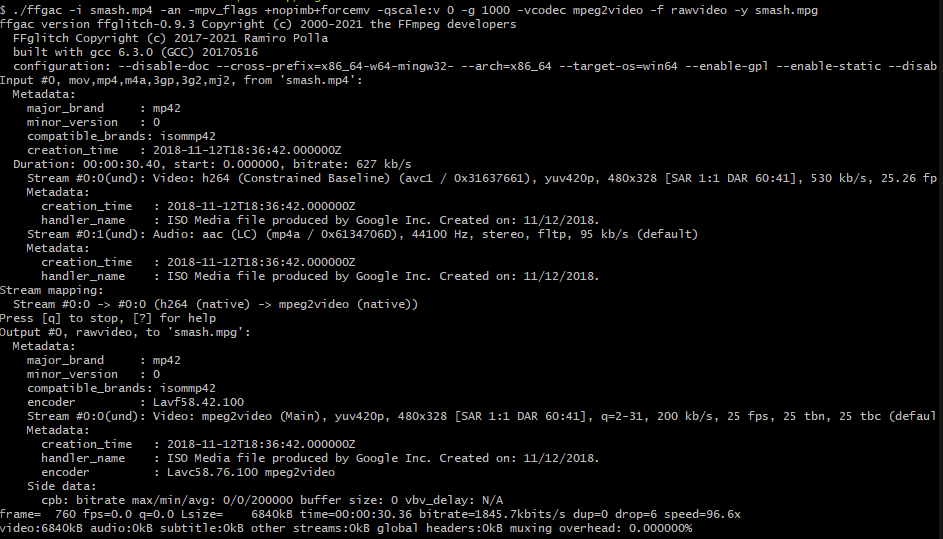
./ffgac -i smash.mp4 -an -mpv_flags +nopimb+forcemv -qscale:v 0 -g 1000 -vcodec mpeg2video -f rawvideo -y smash.mpgYou will know your command worked if the output is similar to the one pictured below.
- Now for your final command that will be pasted similarly to the previous one
- Note: this time, replace “smash.mpg” with the same name you used to describe the .mpg file in the previous step.
./ffedit -i smash.mpg -f mv -s mv_average.js -o smash_glitched.mpg
You will know your command worked if the output is similar to the one pictured below.

- Open your new file from the FFglitch folder. The new file will be named whatever name you replaced “smash_glitched.mpg” with.
The finished smash_glitched.mpg file: